Draw like in a vector editor
Rectangles, ellipses, polygons and stars, Bézier pen, straight lines, freehand pencil and text with several fonts. Each drawing becomes a 3D part with the height you choose.
Lok3D is a 3D design tool that runs in your browser, made for people who don't do 3D modeling. It works like a 2D drawing program — you draw rectangles, circles, polygons, text and Bézier curves — and turns them into solid parts you can print. Everything is measured in millimeters, and the files you download are ready for your slicer.
Open the editor No install, no account.
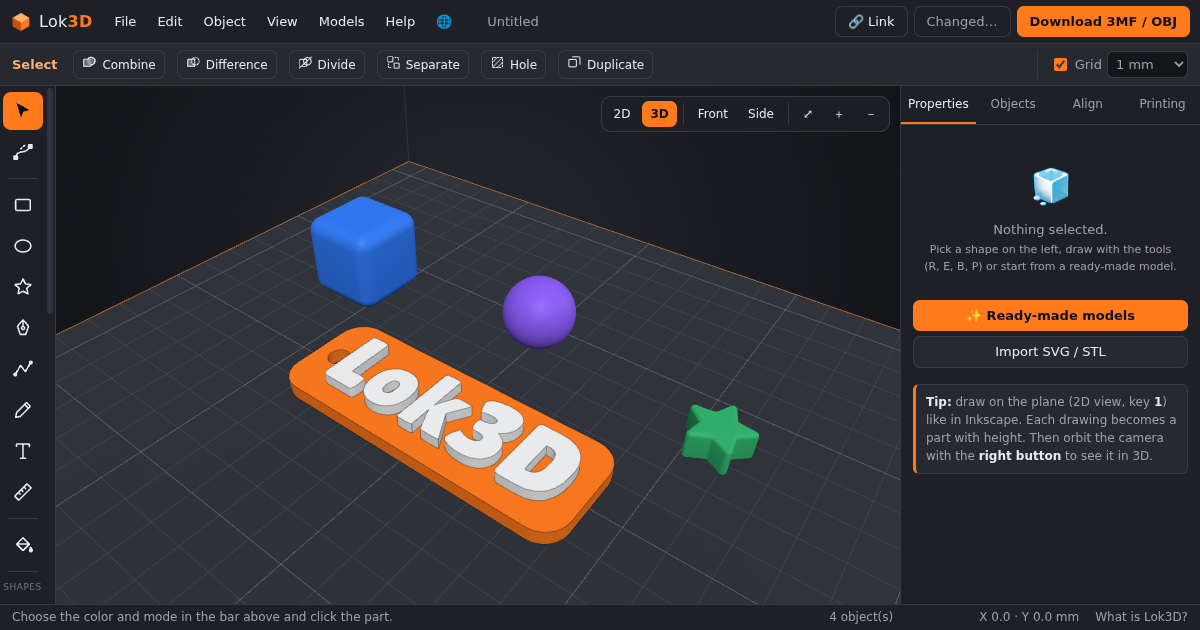
Rectangles, ellipses, polygons and stars, Bézier pen, straight lines, freehand pencil and text with several fonts. Each drawing becomes a 3D part with the height you choose.
Cube, rounded cube, cylinder, tube, sphere, hemisphere, cone, pyramid, torus, heart, star, gear, cloud and more.
Move the bottom and top nodes of a shape independently to slant or taper its walls, curve only the top or only the bottom, and type exact X, Y and Z positions.
Round corners and edges from a light fillet up to a full ball, without moving a single node.
Join parts, subtract, intersect, divide and cut at a height, with a fast and robust boolean engine. Mark any part as a hole to cut it out of the others.
Open STL, OBJ, 3MF and SVG files, deform meshes with a cage, separate loose parts and combine them with your own shapes.
Color areas, loose parts or height bands of a model and download a 3MF with the colors already assigned to filaments.
Millimeters everywhere, snap to grid, measuring tool, alignment, your printer's bed size and an estimate of filament weight.
Use the Paint tool (shortcut C) to color parts of a model. When you download the 3MF, each color is saved per triangle, both in the standard 3MF color format and in the painting format used by Bambu Studio and Creality Print, so the colored areas open already assigned to filaments (AMS or CFS).
No account is needed. Every project gets its own private link with a long random code: only people who have the link can open or edit it, and projects are never listed anywhere. You can also download the project file (.lok3d) and open it again later.
Available in English, Portuguese (Brazil) and Spanish.
Yes. Lok3D runs in your web browser and you don't need to create an account to use it.
No. Lok3D works in modern desktop web browsers. Your drawing is processed on your own computer.
You can import STL, OBJ, 3MF and SVG files, and export 3MF (with colors), STL and OBJ — always in millimeters.
Yes. Paint the model with the Paint tool and download the 3MF. Bambu Studio shows a dialog to match each color to a filament; Creality Print loads the painted areas as filaments 1, 2, 3 and so on. For printers with a single nozzle, paint by height to change filament at a layer.
Yes. You can resize, rotate and mirror it, deform it with a cage, separate loose parts, combine it with other shapes, cut holes in it and paint it.
Only people who have the project's link. Links use long random codes and are not published or listed.
Millimeters, the same unit used by 3D printers and slicers. Exported files keep the exact sizes you see on screen.